
Copaste for Writers
Kill your darlings. Keep a copy.
Every paragraph you cut, every quote you gather, every link you share weekly — Copaste holds it all. Edit ruthlessly, knowing nothing is lost.
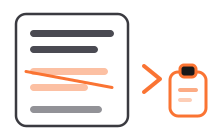
Sound familiar?
- You cut a paragraph "for now" — and now it's gone forever.
- Your bio, your newsletter links, your pitch template: retyped or re-hunted every single time.
- Research quotes scattered across notes apps, docs, and browser tabs.
How Copaste fits your workflow
Unlimited history
Everything you cut while editing stays retrievable. Delete boldly.
Favorites
Bio, portfolio links, UTM-tagged URLs, pitch templates — pinned and instant.
Tags
Tag research by article or client. When you sit down to write, it's all in one place.
Text capture
Quote from anywhere — screenshots, PDFs, videos with captions.
A day with Copaste
Newsletter day with Copaste:
- Gather links and quotes all week, tagging them for the next issue.
- On writing day, open Copaste and search the tag.
- Assemble the issue from history instead of from memory.
Frequently asked questions
- Can I recover a paragraph I cut from a draft days ago?
- If you copied or cut it, yes. Copaste's history is unlimited and persistent, so anything that passed through your clipboard is still there — searchable, with a full preview.
- Can I save templates like my bio permanently?
- Yes — pin them as favorites. Your bio, pitch template, and standard links stay put no matter how much you copy on top of them.
- Will my drafts stay private?
- Yes. Copaste is local-only: everything you copy stays on your device. Your unpublished work never leaves your Mac.
Ready to make it yours?
One-time purchase, lifetime access. No subscription, no account needed.
Buy now