
Copaste for Researchers & Academics
Collect now, organize later. Lose nothing in between.
Reading is flow; stopping to file every quote kills it. Copy every passage, citation, and data point as you read — Copaste keeps them all, tagged by project, ready when you sit down to write.
Sound familiar?
- That perfect quote you copied yesterday — which paper was it from, and where did it go?
- A key passage trapped in a scanned PDF that won't let you select text.
- Fifteen browser tabs open because closing one feels like losing a source.
How Copaste fits your workflow
Text capture
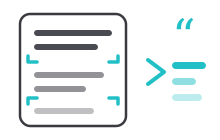
Pull text out of scanned PDFs, figures, and images with a single shortcut — the passages other tools can't reach.
Unlimited history
A full day of literature review, every copy preserved. Close the tab; the quote stays.
Tags
Tag by chapter, project, or theme as you go — or in one pass at the end of the day.
Favorites
Keep citation formats, your ORCID, and boilerplate acknowledgments pinned.
A day with Copaste
A literature review with Copaste:
- Skim twelve papers, copying freely — quotes, stats, citations.
- Tag everything for the chapter you are working on.
- Next morning, search the tag and write with every source at hand.
Frequently asked questions
- Can Copaste extract text from scanned PDFs and images?
- Yes. Copaste's text capture pulls text off anything on your screen — scanned PDFs, figures, slides, screenshots — even when it isn't selectable.
- How long does clipboard history last?
- As long as you want. History is unlimited and persistent — items stay until you delete them, so yesterday's sources are still there next month.
- Does it replace Zotero or my reference manager?
- No — it complements it. Your reference manager organizes finished citations; Copaste catches everything on the way there: the quotes, passages, and fragments you collect while reading.
Ready to make it yours?
One-time purchase, lifetime access. No subscription, no account needed.
Buy now